The short answer
Nano Banana is built for the loop, not the one-shot. You generate from a prompt, then keep talking - shifting the light, swapping a subject, tightening the framing, dropping in legible text. Each turn lands on top of the last one rather than starting from scratch, which is why the experience inside Gemini feels closer to editing than to "asking an AI for a picture."
This piece walks through the moves that loop is built out of - the moments where the model genuinely changes how the work feels. The capabilities below appear, in some form, in both the consumer Gemini app and the Pro tier integrated into developer surfaces and partners like Adobe Firefly.
Dial in every detail
Transform the vibe, not the subject
Shift a sunny day into a moody night, change the camera angle, adjust the focus to make a subject pop. The image stays - the look around it moves. This is the "talk to the picture" move the model is best known for, and it works equally well on a generated image or a photo you upload.

Practical translation: you do not have to write the perfect prompt up front. The first generation is a starting frame; the conversation refines it. Edits target specific aspects ("warmer light", "lower angle", "closer crop") and the rest of the composition holds steady.
Style applied in seconds
Borrow the look from any reference
Drop in a reference photo and Nano Banana lifts the texture, palette, or styling and re-applies it to your subject. The easiest way to try a different aesthetic without restarting - useful for moodboards, A / B treatments, and any time the brief is "make it feel like this."
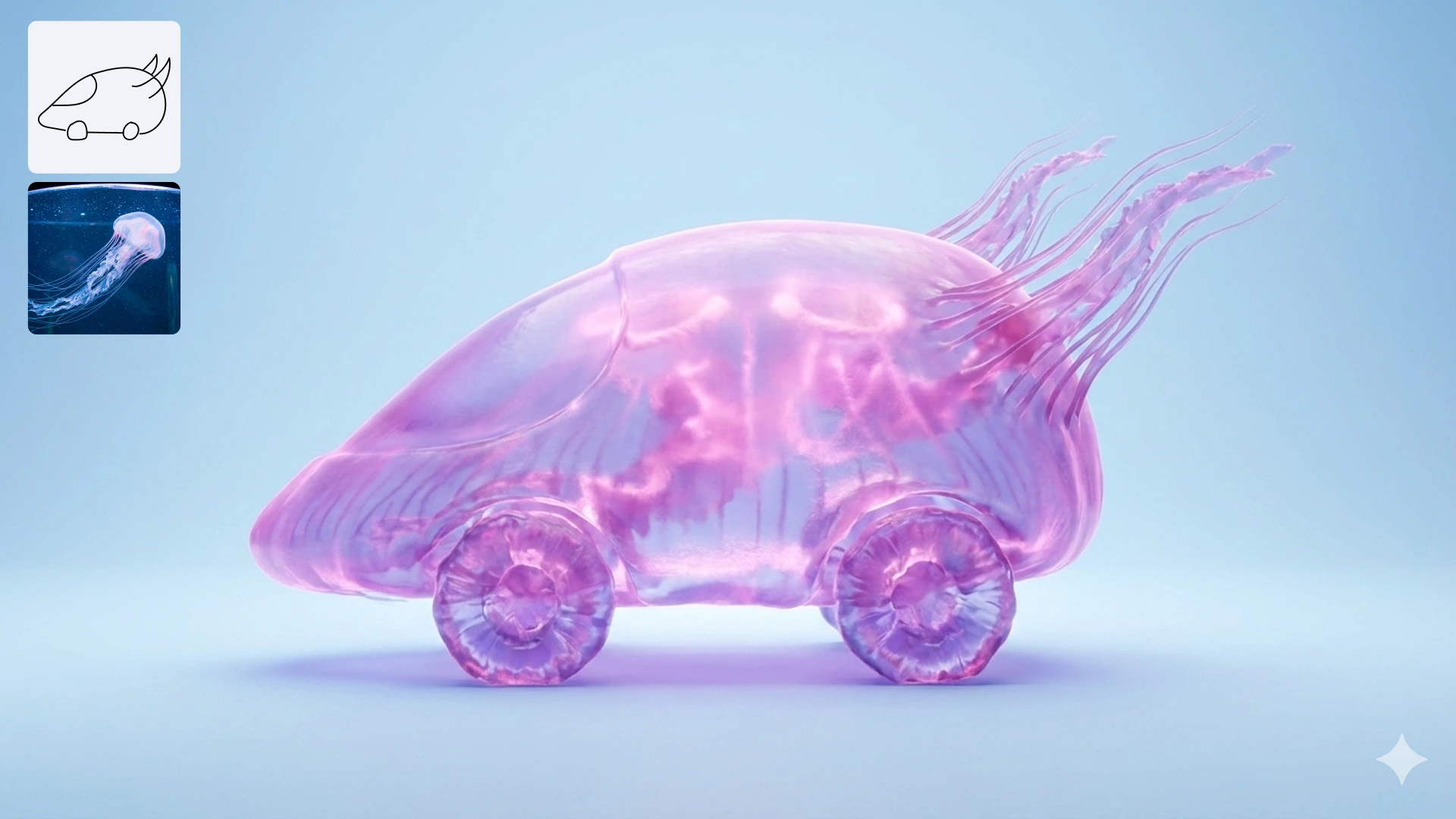
Style transfer is also where Nano Banana Pro pulls ahead - it can use multiple reference images at once, holding subject consistency across angles while it applies the look. That matters the moment you need the same character or the same product to sit inside several different scenes.
One visual, many sizes
Once you like an image, you usually need it in five aspect ratios. Nano Banana resizes a creation to fit whatever format you ship to - vertical for stories, square for feed, wide for hero banners - without cropping out the parts you actually want to keep. The model fills in new edges plausibly instead of pillarboxing or stretching.
This collapses what used to be a multi-tool task (generate, then crop / extend in a separate editor) into a single conversation. The same generation becomes a poster, a banner, and a story without ever leaving the chat.
Words placed just right
Logos, invites, posters, comics
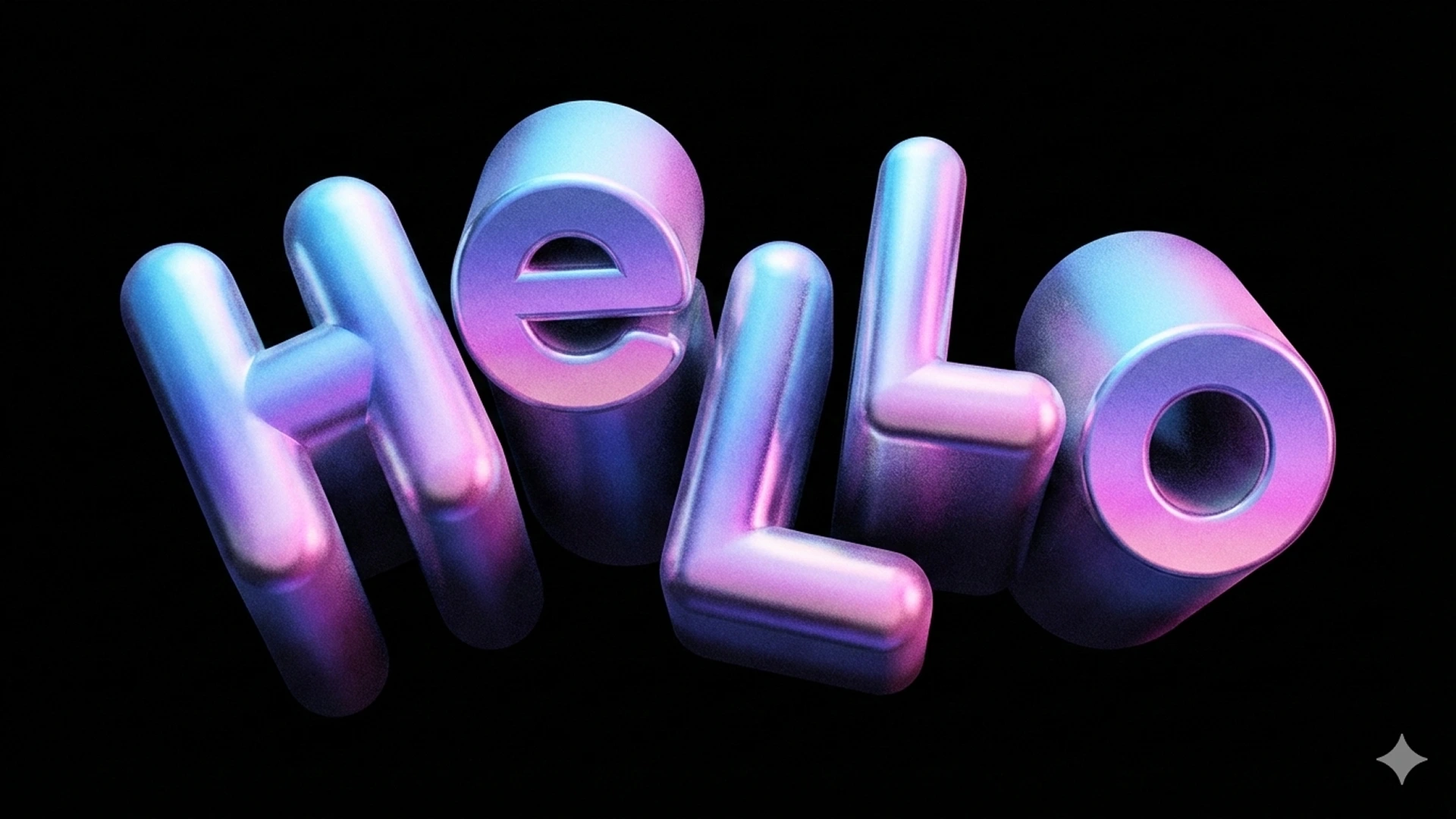
In-image text is the move other models still get wrong. Nano Banana renders words cleanly - fitted into the layout, the right weight, the right style - across many languages. That makes the model viable for marketing graphics, posters, packaging mockups, and educational content where the writing has to actually be readable.
What Nano Banana Pro unlocks
Pro is positioned for "professional-grade, functional design" rather than casual creation. Adobe's framing of the integration is clear: Pro is what you reach for when an image needs to do something - communicate data, hold a brand, survive in a print piece - not just look good.
Fact-based infographics
Pro can ground images in real-world data via Google Search, producing diagrams, maps, and charts that reflect actual figures rather than plausible-looking nonsense.
Multi-reference consistency
Use multiple reference images at once and keep the same subject - character, product, room - across different camera angles, lighting setups, and scenes.
Product mockups that read
Crystal-clear text in-image is the unlock for credible product mockups, posters, and packaging shots. Labels, captions, and headlines stay legible at any size.
Resolution that ships
Higher resolution and small-detail handling make Pro the right tier when the final asset is going to print or to a billboard rather than a Story.
In Gemini, Pro is accessed via the model menu or by hitting "Redo with Pro" on a result. In Adobe Firefly and Photoshop's Generative Fill, Pro shows up under the model picker as "Gemini 3 (with Nano Banana Pro)" - the same model family, surfaced inside the tools designers already live in.
Inside a real workflow
The capabilities above stop feeling like a feature list once you string them together. A typical Nano Banana session looks more like this:
- Start with a prompt or an upload. Generate a first frame, or bring in a photo you already have.
- Iterate conversationally. "Make it golden hour", "lower the camera", "swap the chair for a sofa". Each turn refines the same image.
- Apply a reference. Drop in a style image and let Pro lift the look across your subject - keeping the subject consistent.
- Drop in legible text. Add a headline, a caption, a tagline. The model places it cleanly inside the composition.
- Resize for everywhere it ships. Ask for vertical, square, wide. Re-export without cropping anything you care about.
The same loop runs inside Adobe Firefly's Generate Image module, inside Prompt to Edit, inside Firefly Boards, and inside Photoshop's Generative Fill - the model picker just swaps in "Gemini 3 (with Nano Banana Pro)" where the Firefly default would otherwise sit. The conversation stays. The surrounding tools get bigger.
Fast, Thinking, or Pro
Inside Gemini's image tool the model menu offers three speeds - the same family, tuned for different moments in the loop.
Nano Banana · Fast
The default. Best when you are exploring and want every iteration back quickly. Optimised for the tight feedback loop.
Nano Banana · Thinking
The middle tier. Slower than Fast, sharper at composition and at following long, layered prompts. Reach for it when the prompt is doing real work.
Nano Banana · Pro
Available to Google AI Pro, Plus, and Ultra subscribers. The professional tier - infographics, multi-reference consistency, real-world grounding, print-ready resolution. Use "Redo with Pro" on a result to jump up.
The rule of thumb: stay on Fast while you are figuring out what you want, switch to Thinking once the prompt is doing real lifting, and run final assets through Pro - or generate on Pro from the start when you know the output is going somewhere that matters.